The Webflow publishing scheduler you can set up today and rely on forever
Publish CMS items, run site-wide deploys, and schedule HTML style changes — automatically, at any time you choose. No code, no manual publish button at midnight.
No credit card required
Cancel anytime
Trusted by 150+ Webflow sites

Manage Schedules
Q2 Product Launch
Black Friday Banner
Summer Sale End

New schedule
acme.webflow.io
Blog Posts · 14 items
Thu, 28 Aug 2026
09:00 AM · Asia/Kolkata

Publish notifications
🚀 Published on schedule
Q2 Product Launch went live at 9:00 AM IST. 14 CMS items published, no errors.
acme.webflow.io
Reply in #launches

Recurring publishes
Repeat weekly
Next runs
Mon, 31 Aug · 8:00 AM
Mon, 7 Sep · 8:00 AM

Publish history
Q2 Product Launch
Today · 9:00 AM
Weekly blog drop
Mon · 8:00 AM
Site Deploy v3.2
Fri · 11:30 PM
Every run logged, timestamped, and attributable.

This quarter
Publishes automated
1,284
Midnight deploys
0
Hours saved
46 hrs
Missed launches
0
Recurring schedules
18
Sites connected
12
The Problem
Webflow can't schedule. So you do it manually.
Every publish, every deploy, every banner change needs a human present. Your team has become the scheduler.
11:58 PM
Friday night
The alarm you set for a blog post
It has been ready for days. But Webflow will not publish itself, so you set an alarm, stay up, and click the button yourself.
Lost sleep
09:00 AM
Launch day
The launch that waits for whoever is awake
The product is ready. The team is ready. Nothing goes live until someone is at a laptop to trigger the publish.
Human bottleneck
09:00 AM
December 26
The banner that outstayed Christmas
The sale ended at midnight. The promo did not, because nobody was awake to pull it. It is morning, and it is still live.
Brand risk
Signature Features
The four ways teams stop babysitting Webflow
CMS Scheduling
Publish any CMS item, exactly on time
Schedule publish, draft, or archive down to the minute
Works on items that are already live, too
Set start and end windows so content disappears itself
Q4 Launch Post
Publish · Dec 15, 9:00 AM
Recurring Schedules
Set it once. It runs itself forever.
Daily, weekly, or monthly publishing cadence
Full run history for every single execution
Pause or resume any recurring schedule instantly
Weekly Newsletter
Every Monday · 8:00 AM
HTML Element Timing
Show or hide anything, no developer needed
Target any element on your site with a CSS selector
Perfect for banners, badges, and seasonal content
Toggle visibility on a schedule — zero code required
Black Friday Banner
Hides automatically · Dec 1
Site Publish
Deploy your whole site without staying up for it
Trigger a full Webflow site publish at any exact time
No one has to be at a laptop to hit the button
Full audit log of every deploy, success or failure
Site Deploy v3.2
Completed · Dec 15, 9:00 AM
How It Works
Setup takes 60 seconds. Then it runs itself.
Three steps, one form. No code, and no staying up late.
New Schedule
CMS Item
Blog Posts · 14 items
HTML Element
Target any CSS selector
Site Publish
Deploy the whole site
Who It's For
Who uses Publish Pilot
Content teams, agencies, ecommerce, founders. Every row below is something somebody set once and has not thought about since.
Now
TUE 09:00
Weekly blog post
CMS
Content teams
FRI 00:00
Black Friday banner on
HTML
Ecommerce
00:01
Launch day — site live
Site
Founders
THU 06:00
Client A blog drop
CMS
Agencies
MON 08:00
Newsletter landing page
CMS
Content teams
SUN 20:00
Pricing page update
Site
Founders
DEC 26
Archive expired offers
CMS
Ecommerce
WED 12:00
Careers page refresh
HTML
People teams
SAT 09:00
Changelog post
CMS
Founders
MON 07:00
Case study goes live
CMS
Agencies
TUE 00:00
Banner off, prices back
HTML
Ecommerce
LAUNCH
Client B site deploy
Site
Agencies
FRI 17:00
Weekend promo goes up
HTML
Ecommerce
MONTHLY
Retainer report page
CMS
Agencies
THU 10:00
Product update post
CMS
Product teams
SUN 23:59
Sale ends, page archived
CMS
Ecommerce
WED 09:00
Event registration opens
HTML
Events
MON 06:00
Monday digest live
CMS
Publishers
DAILY 07:00
Morning news drop
CMS
Publishers
TUE 11:00
Webinar page live
Site
Marketing
FRI 18:00
Hide the hiring badge
HTML
People teams
15TH
Investor update page
CMS
Founders
SAT 00:00
Flash sale starts
HTML
Ecommerce
THU 08:00
Client C content batch
CMS
Agencies
MON 09:00
Quarterly roadmap page
Site
Product teams
WED 21:00
Deploy after hours
Site
Agencies
FRI 12:00
Feature announcement
CMS
Marketing
See It In Action
Schedule a Webflow publish in under 60 seconds
Watch how Publish Pilot schedules a CMS item publish in real time
Webflow sites scheduled
0+
to create a schedule
< 0s
required to get started
Zero code
Everything Else
Everything you need to publish on autopilot
The scheduling is the headline. This is the rest of the job, already handled.
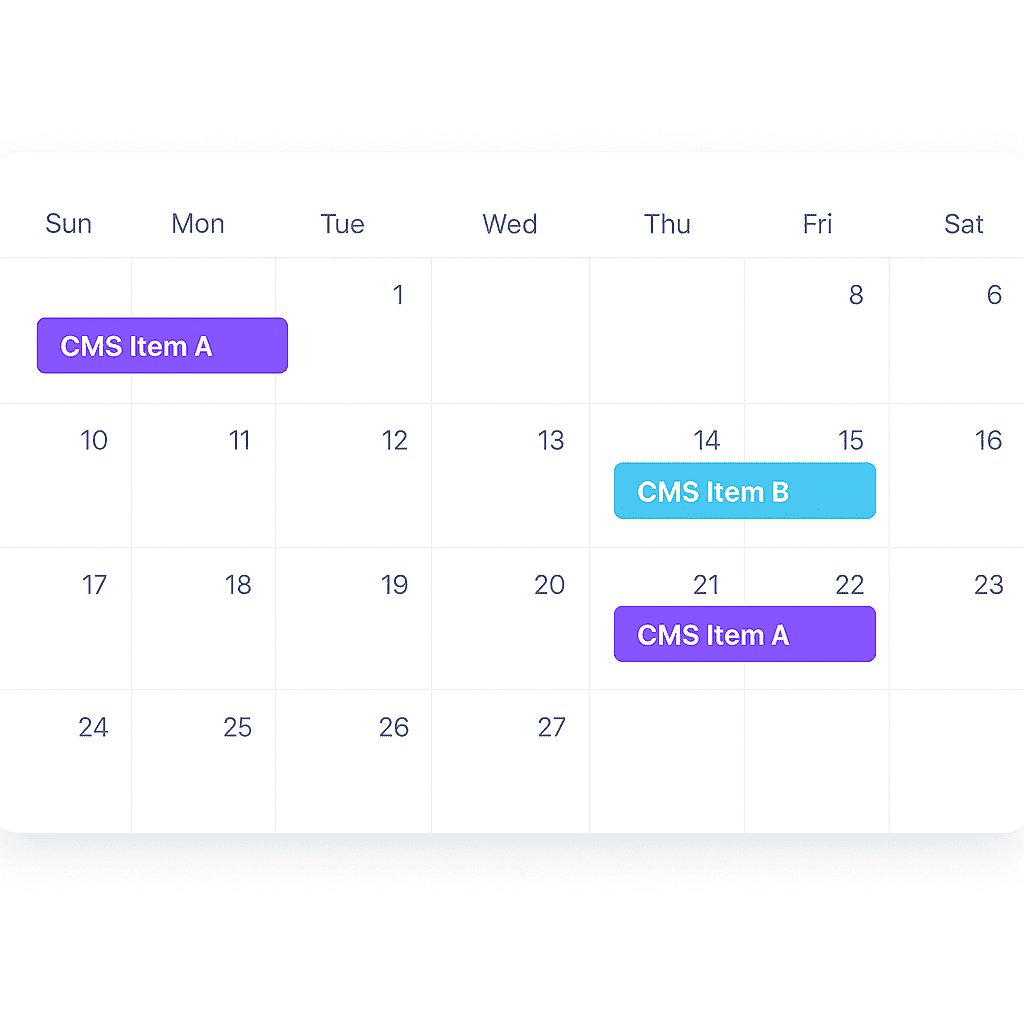
Calendar view
See the whole month before you commit to it
Your entire publishing schedule laid out on one calendar, across every site you run.
Spot the week with nothing going out
Catch two launches booked for the same hour
Drag a schedule to a new day without rebuilding it

Audit log & auto-retry
Know it ran, and know why when it didn't
Every execution is recorded with the outcome attached — and a Webflow rate limit delays a run by seconds instead of killing it.
Success or failure logged with the reason
Automatic retry when Webflow pushes back
A record you can hand to a client

Multi-site management
Every Webflow site, one dashboard
Connect all of them and run publishing for the whole portfolio without logging into each site in turn.
Schedules grouped by site, filtered in a click
Built for agencies running a dozen clients
Add a new site in under a minute

Bulk queue
Queue a content calendar in one sitting
Set up dozens of CMS schedules at once instead of opening every item and typing the same date again.
Select many items, schedule them together
Stagger a batch across a week automatically
Edit or cancel the whole queue in one action

Slack & email alerts
Your team hears about it the moment it lands
A publish that nobody knows about is only half automated. Every run can announce itself where your team already is.
Slack message to the channel you choose
Email for the people who live in their inbox
Failures shout louder than successes

Timezone aware, everywhere
Works on your phone
Pause or resume any schedule
Workspaces for your team
Integrations
Integrate with your existing tools in seconds
Every scheduled run fires an event, success or failure, to wherever your team already works.
Connect to Slack, Zapier, or any custom URL
Paste a URL and you are done. No build step, no maintenance.
Pricing
Simple, Transparent Pricing
Choose the plan that fits your needs.
All plans include a 7-day free trial
Monthly
Yearly (up to 26% off)
Pricing is per workspace.
Starter
For freelancers and small projects
$15 / month
Billed annually ($ 180)
- 100 Executions per month.
- Up to 2 Sites
- 14 days Audit Log
All plans include
CMS Advanced Scheduling
HTML Element Scheduling
Site Publish Scheduling
Team members with roles & per-site access
In-app chat support
Most Popular
Pro
For growing teams and businesses
$29 / month
Billed annually ($ 348)
- 500 Executions per month.
- Up to 5 Sites
- Recurring Schedules
- Priority Support
- 60 days Audit Log
All plans include
CMS Advanced Scheduling
HTML Element Scheduling
Site Publish Scheduling
Team members with roles & per-site access
In-app chat support
Business
For agencies and large-scale operations
$65 / month
Billed annually ($ 780)
- 1,200 Executions per month.
- Up to 12 Sites
- Recurring Schedules
- Integrations:Slack,Zapier & custom webhooks
- +$15/mo · 4 additional sites + 400 executions, billed annually
- Priority Support
- 90 days Audit Log
All plans include
CMS Advanced Scheduling
HTML Element Scheduling
Site Publish Scheduling
Team members with roles & per-site access
In-app chat support
Understanding Executions
Each workflow counts as one execution, regardless of its complexity or number of internal steps.
Example: An execution represents one complete publishing workflow for single CMS item.
Why not just do it manually?
See how Publish Pilot stacks up against the alternatives.
| Manual | Zapier / Make | Publish PilotRecommended | |
|---|---|---|---|
| Schedule CMS publish | Not possible | Complex setup | 60-second setup |
| Publish, then unpublish | Set a reminder | Build it yourself | Start & End |
| Recurring schedules | Every single time | DIY workflow | Daily, weekly, monthly |
| HTML element timing | Not possible | Not possible | Native |
| Auto error retry | Manual only | Manual only | Built-in |
| Audit log | None | None | Full history |
| Team roles | Share the login | No site scoping | 4 roles, per-site |
| Multi-site management | One at a time | Per workflow | Unlimited |
| Notifications | None | Extra workflow | Slack, webhook, Zapier |
Frequently Asked Questions
Everything you need to know about Publish Pilot.
Your next Webflow launch doesn't need you to stay up late.
Start your free 7-day trial. No credit card. Cancel anytime.
No credit card
Cancel anytime
Trusted by 150+ Webflow sites
Swarovski
DealDash
Gather
Fandom
Failory
Lexware
Whiskey Myers
Water Grill
Red Clay Strays
Off Limits
Houston Broadway
Dartmoor Classic
Canopy Aerospace
Norm
Spoon Moon
The POD Agency
Swarovski
DealDash
Gather
Fandom
Failory
Lexware
Whiskey Myers
Water Grill
Red Clay Strays
Off Limits
Houston Broadway
Dartmoor Classic
Canopy Aerospace
Norm
Spoon Moon
The POD Agency